Slotorado Casino Login: Your Guide to Account Access
All you need to sign in quickly, get back into the account after forgetting a password and see how Slotorado keeps your account safe.
Where to Find the Slotorado Sign-In Form

In a desktop browser the login button is at the top right of the header. It opens a pop-up window with an email field, a password field and a checkbox that keeps you signed in.
On mobile the same button is tucked into the hamburger menu. Tap the three-line icon and the sign-in option is listed first. The pop-up has the same structure but is adapted to narrow screens, with the fields stacked on top of each other. On both versions a “Forgot password?” link appears under the password field.
Signing In, Step by Step
The logic is the same on every device, though a few interface details differ.
Desktop Browser
Open the Website
Go to the Slotorado website in any up-to-date browser.
Click Log In
Press “Log In” at the top right of the header.
Enter Credentials
Type in the email address and password you registered with.
Remember Me (Optional)
If you like, tick “Remember me” so the session lasts longer.
Sign In
Press “Sign In.” On a stable connection the lobby appears in a few seconds.
Mobile Browser and App
Open the Site or App
Visit the site in your phone’s browser or start the Slotorado app.
Open the Menu
Tap the hamburger menu and choose “Log In.”
Fill In Credentials
Enter your email and password. Autofill from the device keychain works on both iOS and Android.
Sign In
Tap “Sign In.” The app has its own login screen rather than a pop-up.
Password Recovery: How the Reset Process Works
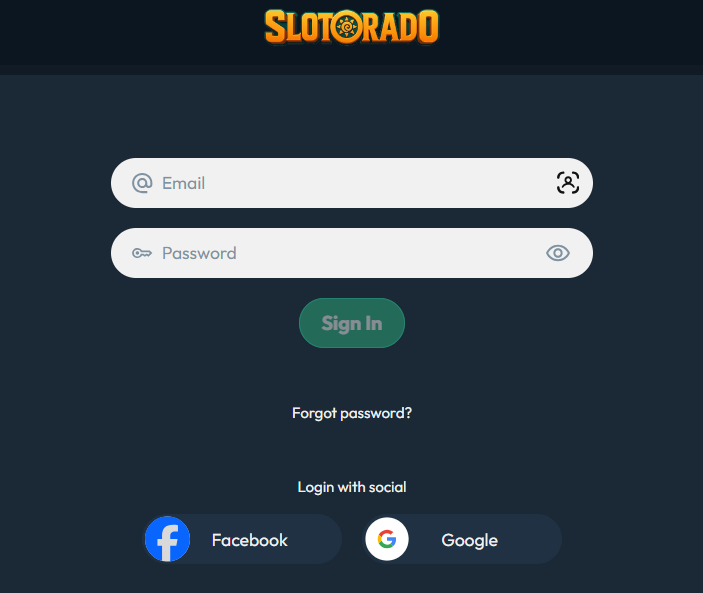
A password reset begins with the “Forgot password?” link in the sign-in pop-up. Type the email address linked to your account and the platform emails you a reset link within a few minutes. The link works once and only for a limited time. Opening it takes you to a form where you choose a new password. If nothing turns up, look in your spam folder and make sure the email address is the one you used to register.
Sign-In Errors, From Most to Least Common
| Error Message | Probable Cause | Suggested Fix |
|---|---|---|
| “Invalid email or password” | A typo in one of the fields, or caps lock switched on | Type both fields again by hand and check caps lock |
| “Account temporarily locked” | Several failed attempts within a short time | Wait a while, then retry or reset the password |
| “Session expired” | Cookies were deleted or you were inactive for too long | Refresh the page and sign in again |
| “Connection timed out” | A weak internet connection or server maintenance | Try another network and look at the operator’s status page |
| “Account suspended” | A KYC review is pending or a rule was broken | Contact support via live chat or the registered email |
If the same error keeps coming back, send live support a screenshot of it.
How a Slotorado Account Is Protected
On top of the standard email and password, the platform adds several further protections.
Two-Factor Authentication
Switch it on in your account settings to require a one-time code after the password.
Device Recognition
Spots sign-ins from unfamiliar devices and may send a confirmation email before letting you in.
Secure Connection
All sessions travel over a protected connection with TLS encryption.
Session Timeout
Session tokens lapse after a fixed period of inactivity, so you are asked to sign in again automatically.
Why an Account Gets Locked

A locked account usually has one of two causes. One is too many failed login attempts: after a few wrong passwords, the system blocks access as a safeguard. The other concerns your KYC status. If identity documents were requested and you did not send them in time, the operator can restrict the account until verification is done. If you don’t have an account yet, read through the registration process before you try to sign in.
Most Common Access Questions
Yes. You can open one account on a computer, a tablet and a phone. Only one session is active at any moment, though, so signing in on a new device automatically closes the earlier one.
Mainly inactivity. If nothing happens for a set number of minutes, the session ends. Deleting browser cookies or updating the app can also close a live session.
A change of email normally has to go through customer support. Your identity is confirmed via the original address first, and only then is the new one linked.
You need to confirm your email, using the link sent when you register. Full KYC document checks tend to come later, usually ahead of the first withdrawal instead of at sign-in.
Ready to Sign In?
Once your details are saved and 2FA is on, returning to your Slotorado account takes only seconds. No account yet? Registering takes less than three minutes.